Get the app
App Store

apps.apple.com/app/id6778617285
Google Play
play.google.com/store/apps/details?id=com.amrteamtokai.classpulse_teacher
A live classroom response app for instructors. Ask a question, and your students' answers appear on your screen as a chart as they come in.
No account or sign-in. No ads.
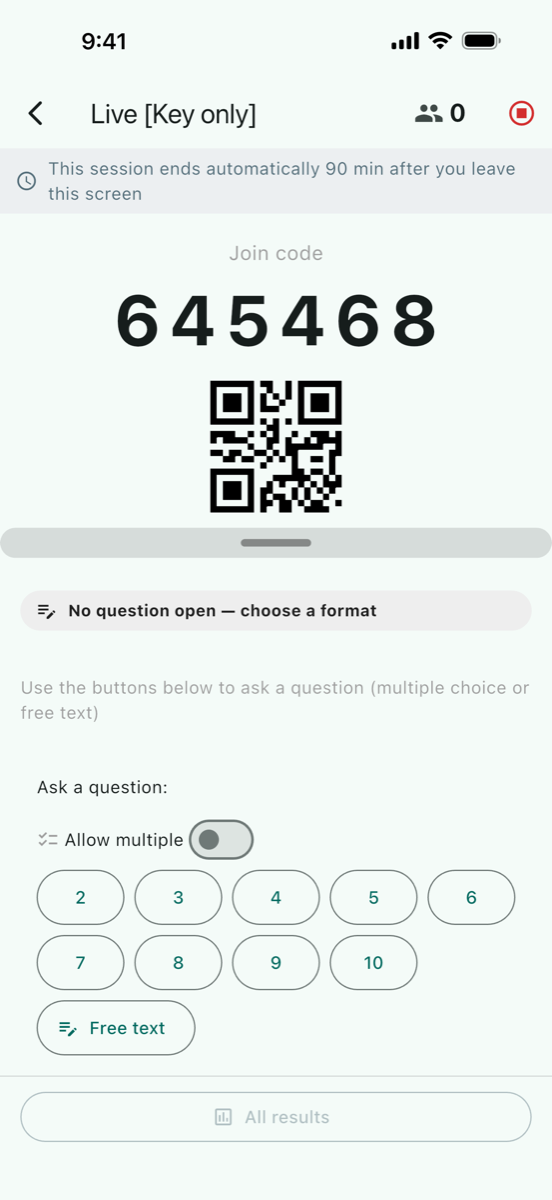
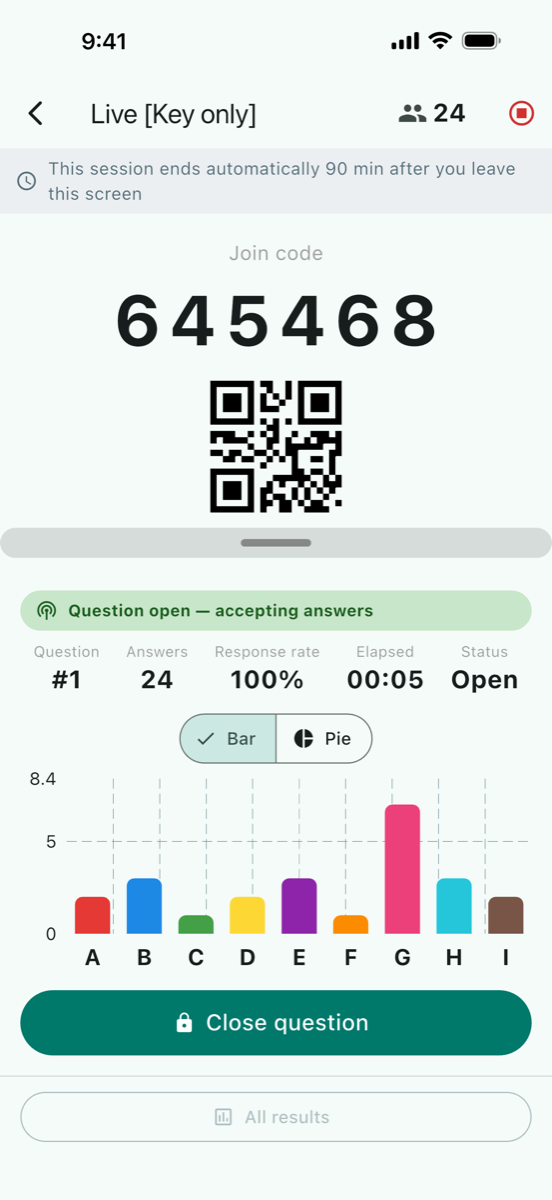
Create a session. Studio shows a 6-digit join code, plus a QR code when the screen has space for it. Students enter the code or scan the QR code in ClassPulse Join.
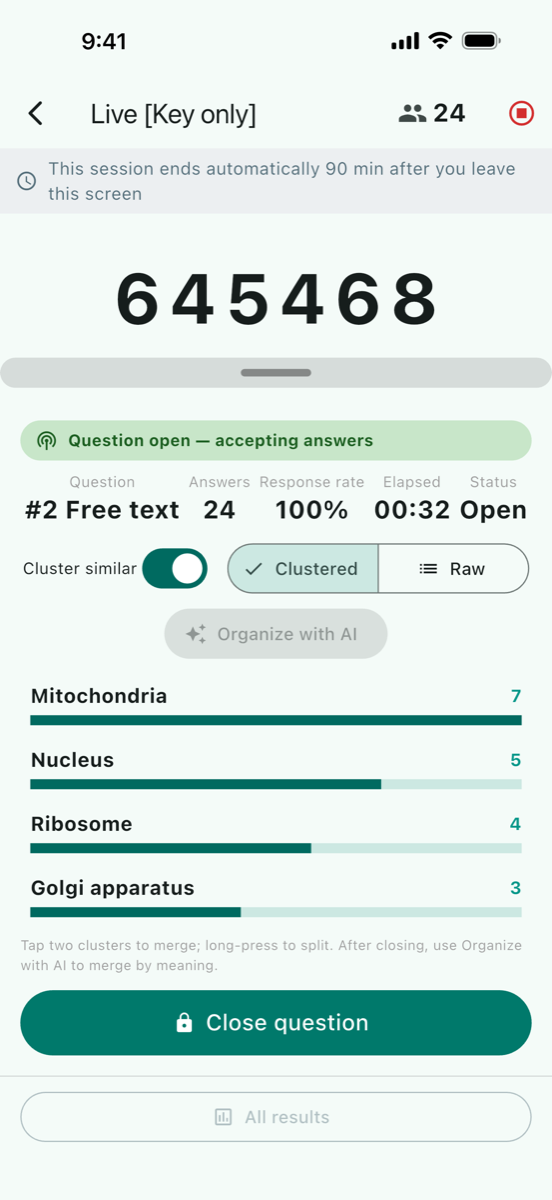
Multiple choice with 2–10 options, shown as live bar charts, and pie charts for single-answer questions. Cluster similar gathers free-text answers with similar meaning as they arrive.
Choose a mode for each session: Named, Key only, or Fully anonymous. Rosters are stored only on your device and are not sent to the server.
For team-based learning (TBL). RAT (Readiness Assurance Test): run an iRAT, then a gRAT (also known as tRAT), and compare individual and group answers. Peer review after the gRAT on a 5-point scale. RAT needs a group set imported from a CSV file and is not available in Fully anonymous mode.
Attendance checks, timed or closed by you, with Present, Late, Away, and Absent (Named and Key only modes). Course evaluation with items rated 1–5 and comments.
Past sessions are saved on your device. PDF and Excel follow the app language. CSV always uses Japanese headings, because it is the import format for ClassPulse Assessment. For reports in English, use PDF or Excel.
Cluster similar and Organize with AI send the text of free-text answers to an external AI service (OpenAI) through the ClassPulse server. ID keys and names are not sent. You can turn Cluster similar off, and Organize with AI runs only when you tap it. Whether these AI features are available depends on the server you connect to.